Dynamic Island for Your AI
Your AI,
Always in Sight
Monitor AI sessions in real-time from your Mac's notch. Approve tool calls, browse conversations, and stay in control — without switching windows.
Download for macOSmacOS 15.6+ required · Free & open source
Features
Everything you need
Atoll brings Dynamic Island-style notifications to your AI workflow.
Real-Time Monitoring
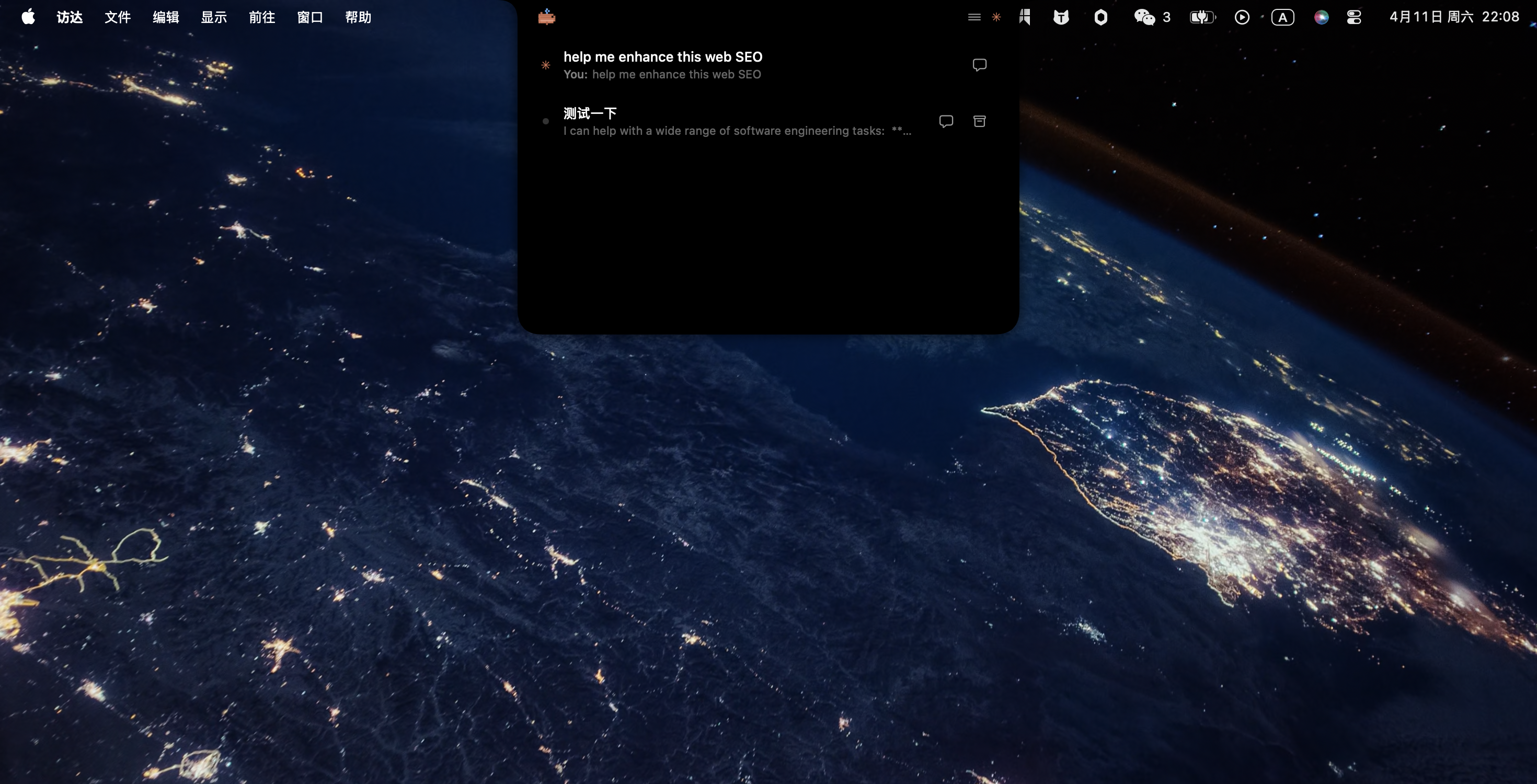
Track multiple AI sessions from your Mac's notch. See processing state, token usage, and session phase — all at a glance.
Tool Approval
Approve or deny tool execution requests directly from the notch. No context switching, no delays — just one click.
Chat History
Browse, search, and revisit all your AI conversations with full Markdown rendering. Nothing gets lost.
Customizable Notch
Choose from 6 pixel-art animal icons — Whale, Crab, Cat, Owl, Octopus, or Fox. Configure notification sounds to match your style.
How It Works
Up and running in seconds
Install & Launch
Atoll automatically installs hooks on first launch. Zero configuration needed.
Run Your AI
Use your AI assistant normally. Atoll listens for session events via Unix socket.
See It in the Notch
Session status, tool approvals, and chat history appear in your Mac's notch in real-time.
Gallery
See it in action
Session Overview
Monitor all active sessions at a glance.
Ready to see your AI in sight?
Free and open source. Get started in seconds.
Download for macOSmacOS 15.6+ required · Apache 2.0 License